Cireson have recently released an new enhancement to the Service Manager console called the Cireson SCSM Asset Management App. This particular application is very easy to install. To install the application into the console, it is simply a case of importing a few management packs and some XML files and DLL files. This is very easy to do and the installation instructions provided by Cireson are very simple and easy to follow as with all Cireson add-ins I have worked with in the past.
In order to get the full benefit from the Cireson SCSM Asset Management App, I would highly recommend that the Configuration Manager Connector be enabled within your environment. However, this is NOT a necessity. Within my environment as I run mine as a Lab, it is not always possible to have all the connectors enabled all the time. I was very easily able to configure my workflows (come with the Cireson SCSM Asset Management App) to work and pull in the required information.
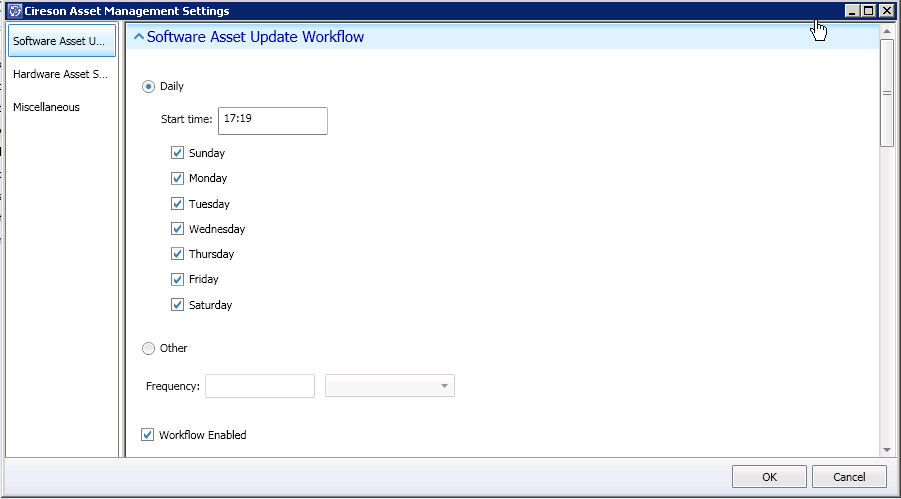
A sample of my workflow configuration is below. The workflows and settings for the Cireson SCSM Asset Management App are found under the Administration Wunderbar and then settings as with all Cireson applications.
There are settings for both Software and Hardware Collections.
Software
Hardware
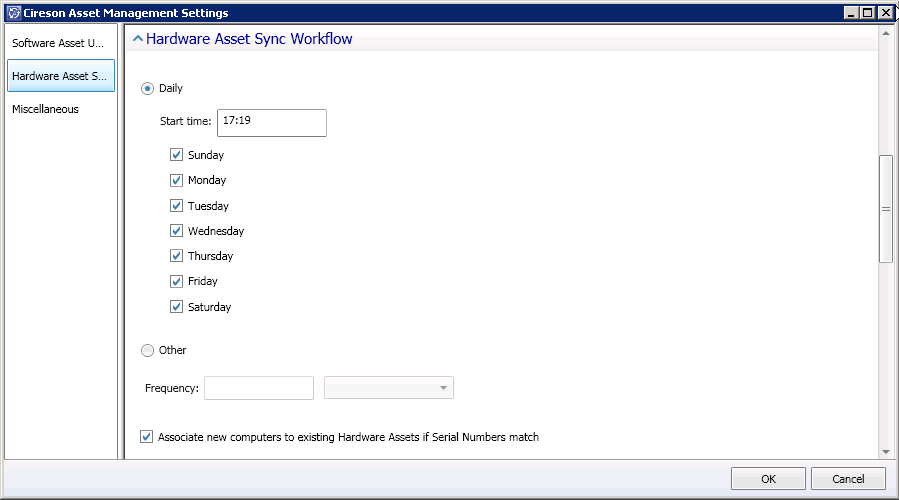
A little lower down on the Hardware tab, this is where the Configuration Manager Connector would add a tremendous amount of value as you can reference different value to be used as a Hardware ID. So, if you had the Configuration Manager Connector enabled, you could reference a Serial Number or Asset Tag. However, it is perfectly feasable to reference Principal name.
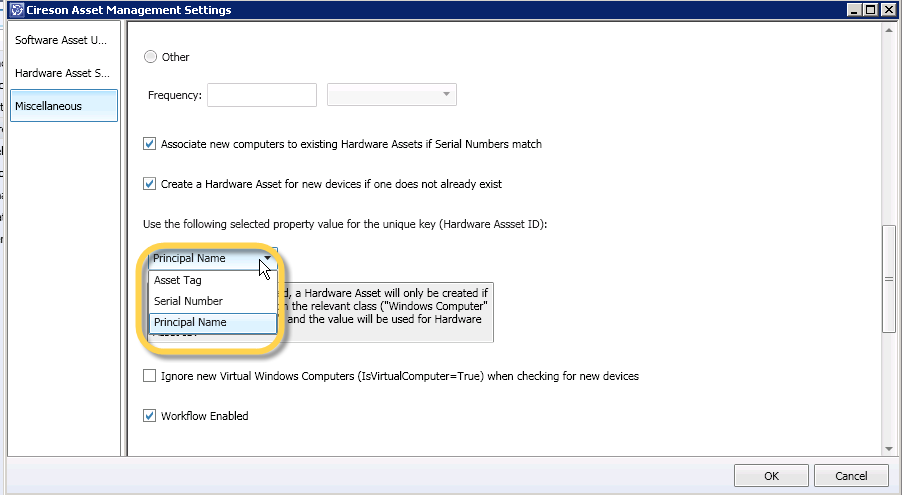
Under the “Miscellaneous” tab, is where the logging is configured, which is amazingly helpful for troubleshooting.


Follow me.
 Facebook (Personal)
 Twitter (Personal & System Center)
 Twitter (System Center Focused)



 Fletcher's Cloud Blog
Leave a comment