When looking at Change Management, usually the most difficult to decide on, is the “Severity” or “Impact” of the Change. This has been addressed by Cireson with one of their many applications. This one is called the SCSM Risk Calculator and as the name suggests, it is an application to help establish “Change Risk” by asking simple questions. It is designed to ask any set of questions, this is of course configurable. Based on the answers provided by the person logging the change, the “Risk is calculated and nicely added to the Change Request.
The import process and configuration aspect of this application is very nicely covered in the Installation Documentation provided.
Once imported, the settings for this application can be found in the “Administration” Wunderbar under Settings, as like all Cireson applications I have tested thus far.
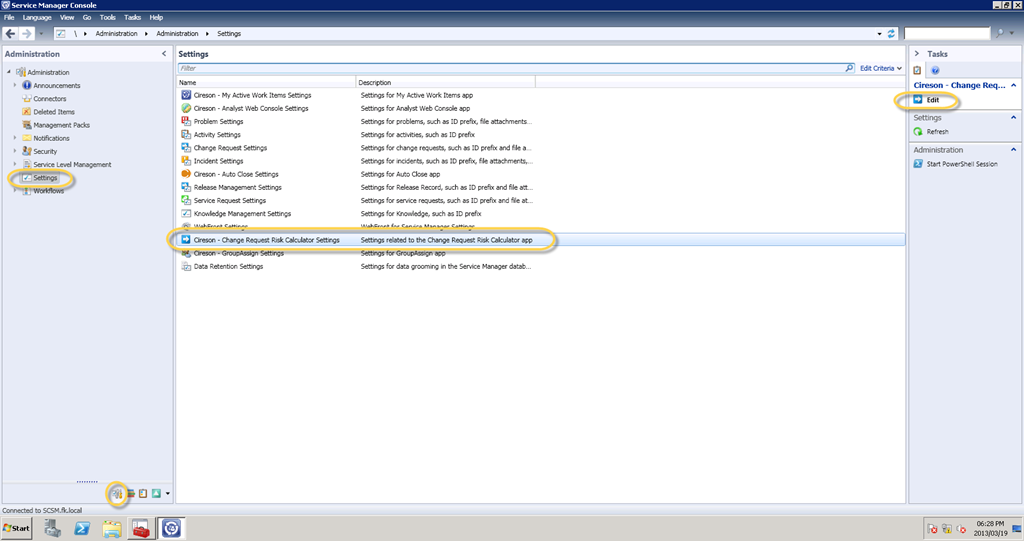
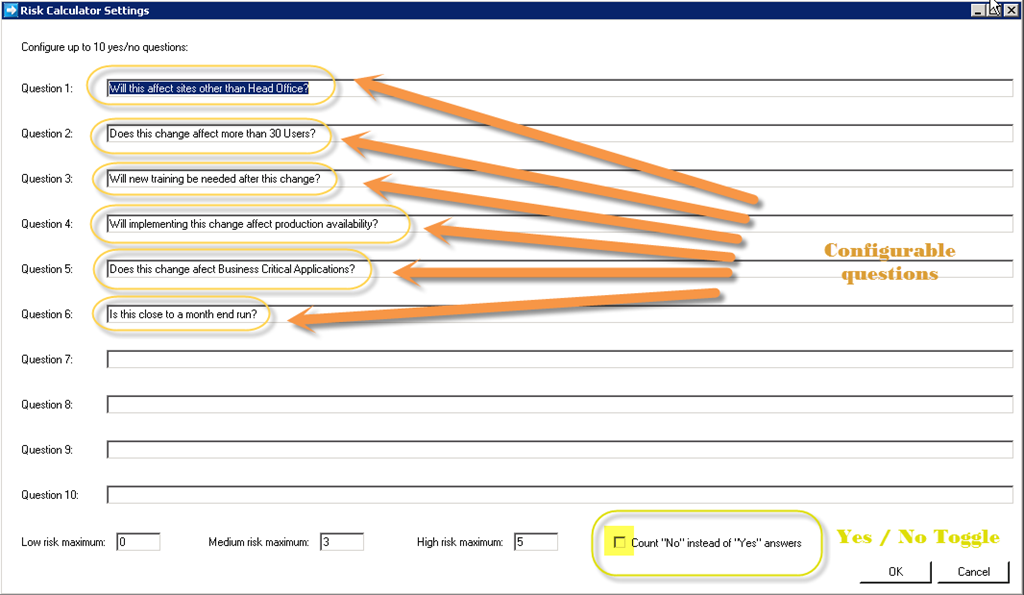
As seen below, the questions are easy to configure and can be presented in "User” English making this an easy application to present to end-users. The application allows for the configuration of up to 10 questions. A toggle to count “No” instead of “Yes’ is also provided.
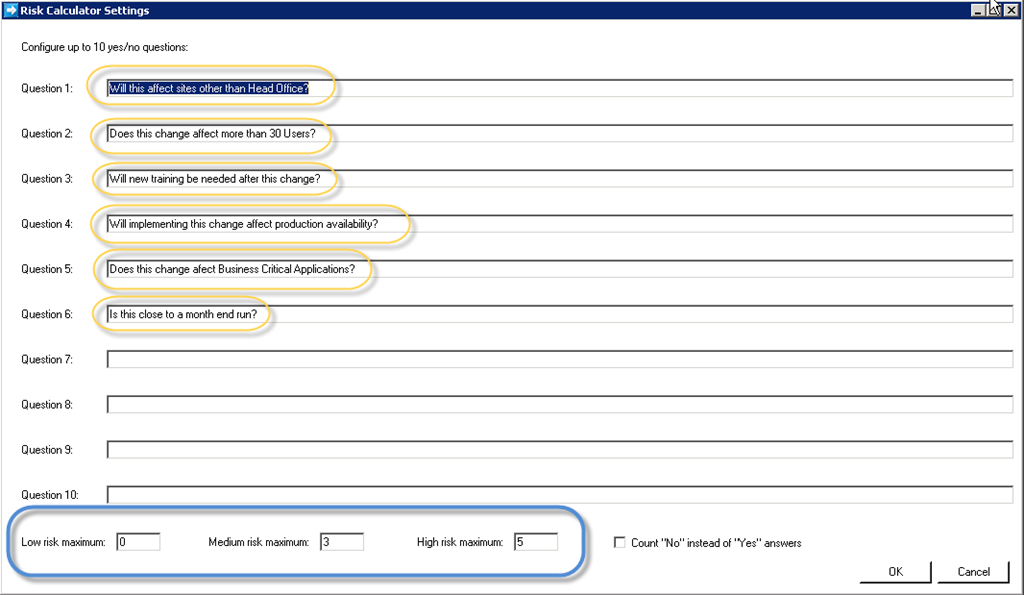
The next step is to simply configure the count of “Yes” or “No” answers respectively to qualify as “Low”, “Medium” or “High” risk changes
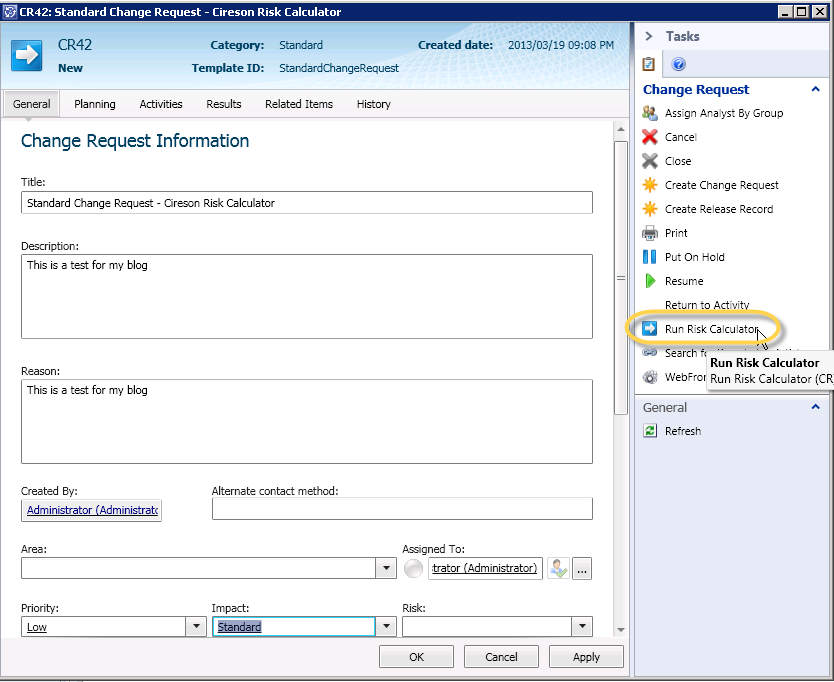
Ok, so now the configuration is done, now to see the SCSM Risk Calculator in action
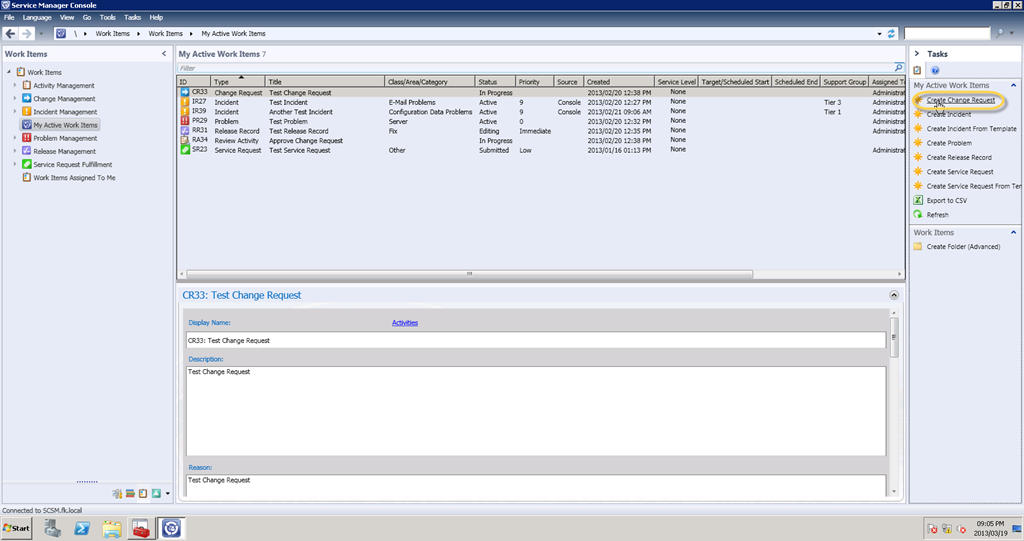
Lets create a Change Request
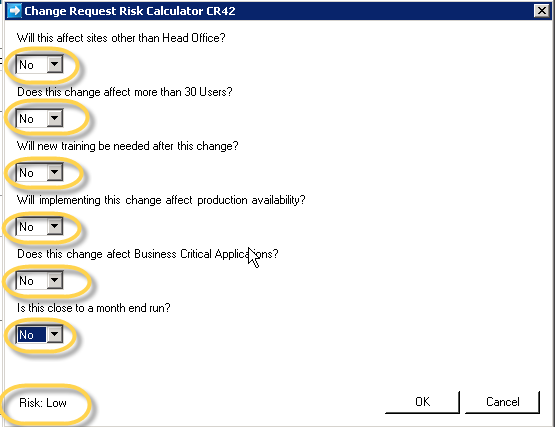
Example of “Low Risk” as per settings
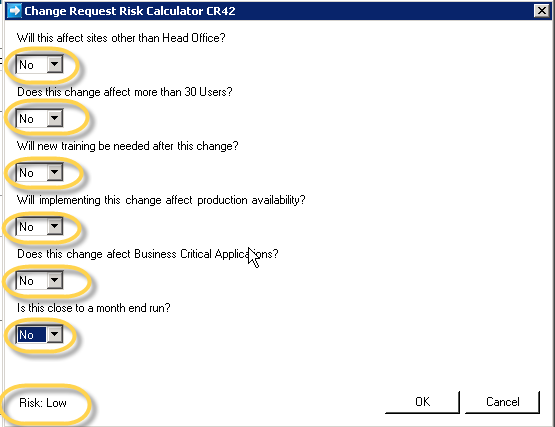
Example of “Medium Risk” as per settings
Example of “High Risk” as per settings
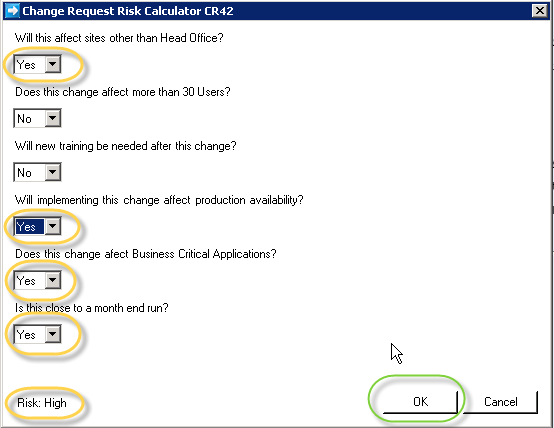
When you click “OK” the information entered above including questions and answers is copied d into the Risk Assessment Plan
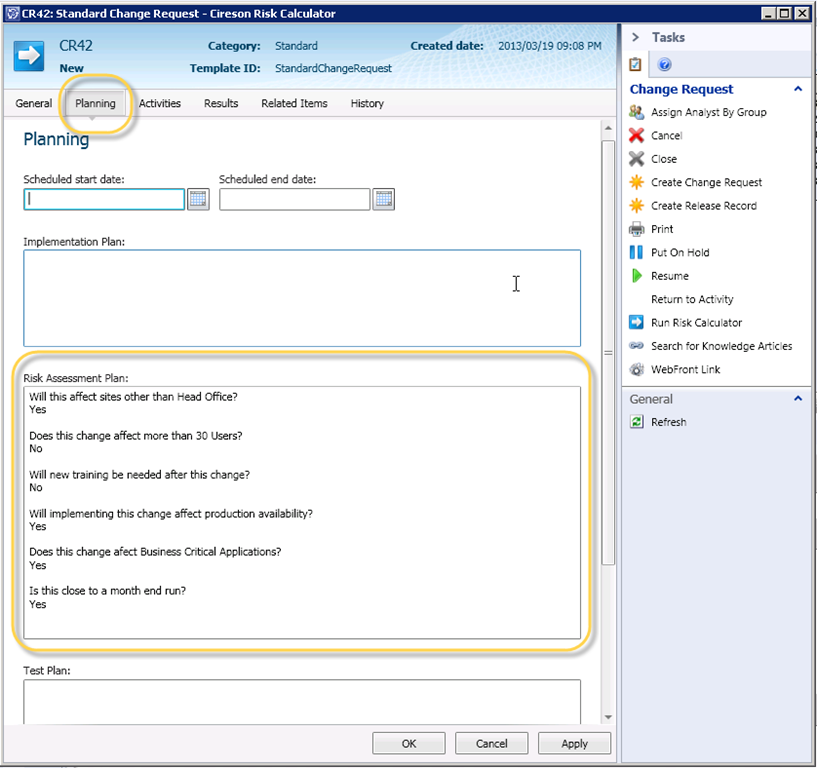
All the information is saved in the same place all the time. At the same time you have a tool that can relate to end users and provide an accurate Risk Assessment.
Thank you Cireson, get more information here.

Follow me.
 Facebook (Personal)
 Twitter (Personal & System Center)
 Twitter (System Center Focused)


 Fletcher's Cloud Blog
Leave a comment