So, just the other day I opened the SCSM console to look at the cubes and process as needed, since some new reports needed to be built and Excel spread sheets created by our BI person for business. So, I start to process the cubes and the first cube starts processing without issue. However when I attempt to process the second cube (Change and Activity Management cube). It presented an error stating that "Could not find any resources appropriate for the specified culture or the neutral culture".
I have never seen an error like this before, so it was time to do some investigating.
I started by looking at the Data Warehouse Wunderbar and more specifically the “Data Warehouse Jobs” tab. I noticed that all the Cubes which were giving me said error where missing from the “Data Warehouse Jobs” tab.
I then remembered about a Patch Window that occurred while I was on leave and decided to look further. I was digging through the Event Logs, when I found the following error
Event id: 33410
Source : Deployment
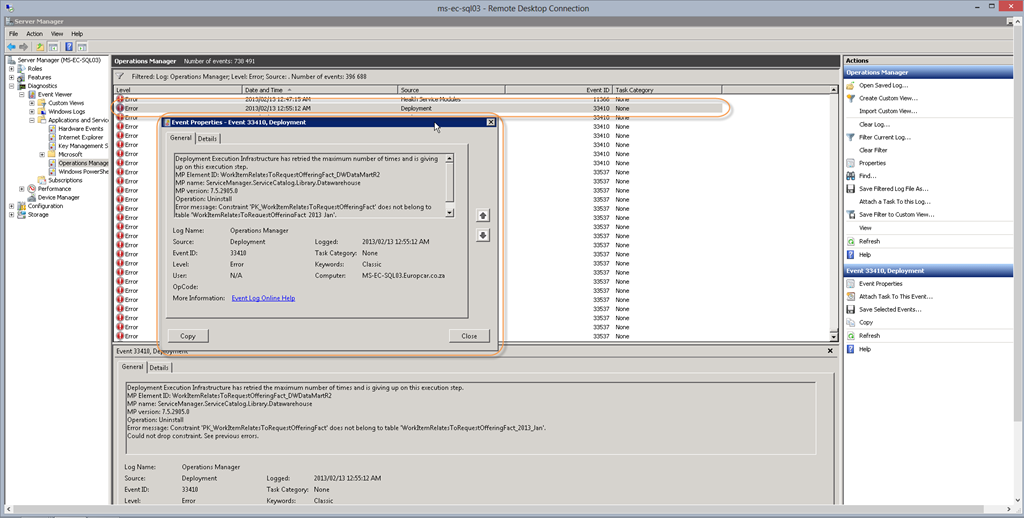
And as you can see from the screenshot, there are plenty of these. Clearly the patching window had interrupted a job. So now with at least something to work with, I started looking around some more and remembered that the MPSyncJOB is responsible for Management Pack Synchronization and upon opening the status of this job, I saw that the Management Packs related to the now problematic cubes were disassociated.
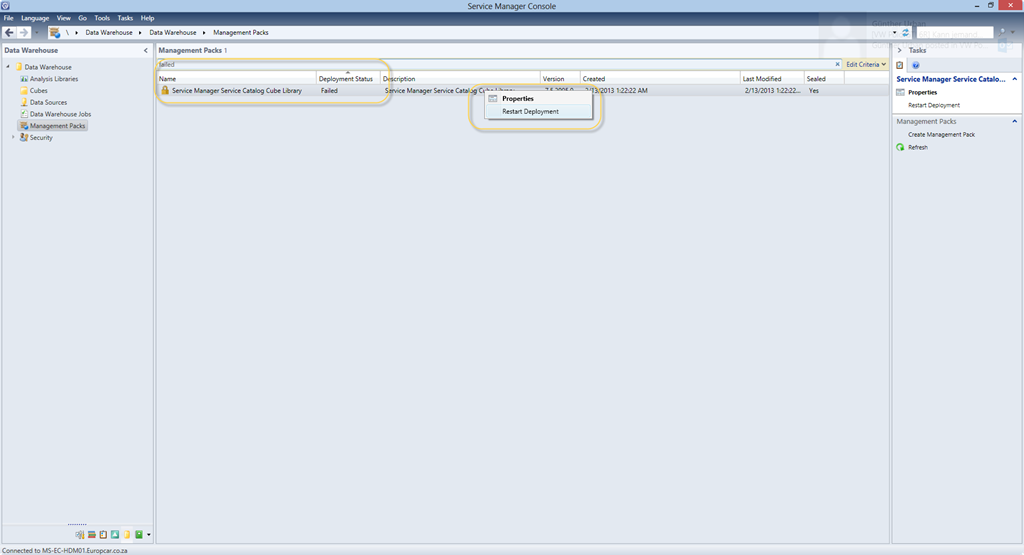
So, from here it was time to check and start putting the pieces of the puzzle together. Upon opening the “Management Pack” section of the “Data Warehouse” Wunderbar, I could see that the deployment of these Management Packs had failed.
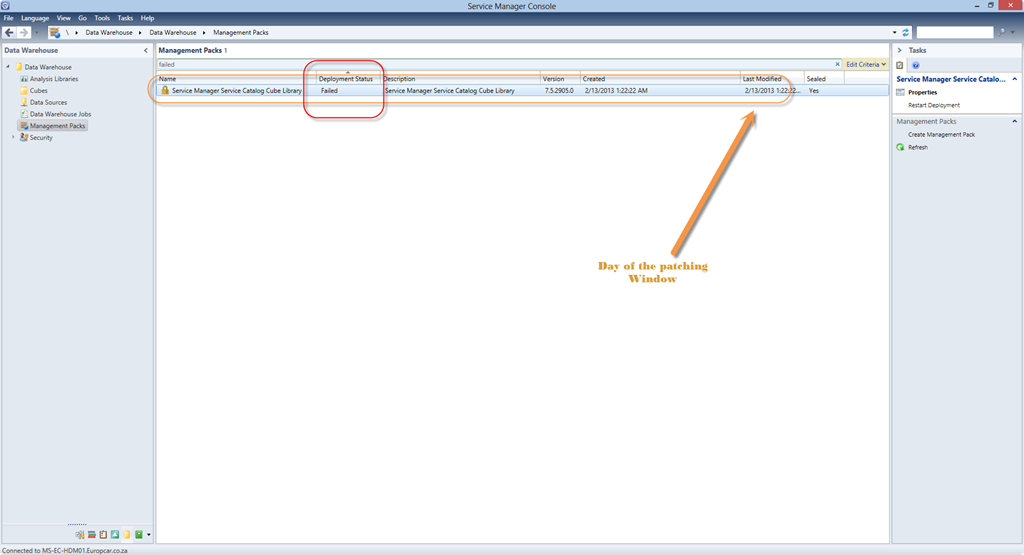
So, the next step is to “Restart Deployment”
![SNAGHTML54834f0[4]](https://blog.fskelly.com/wp-content/uploads/2013/02/snaghtml54834f04.png "SNAGHTML54834f0[4]")
With mine, nothing happened and I found the following error
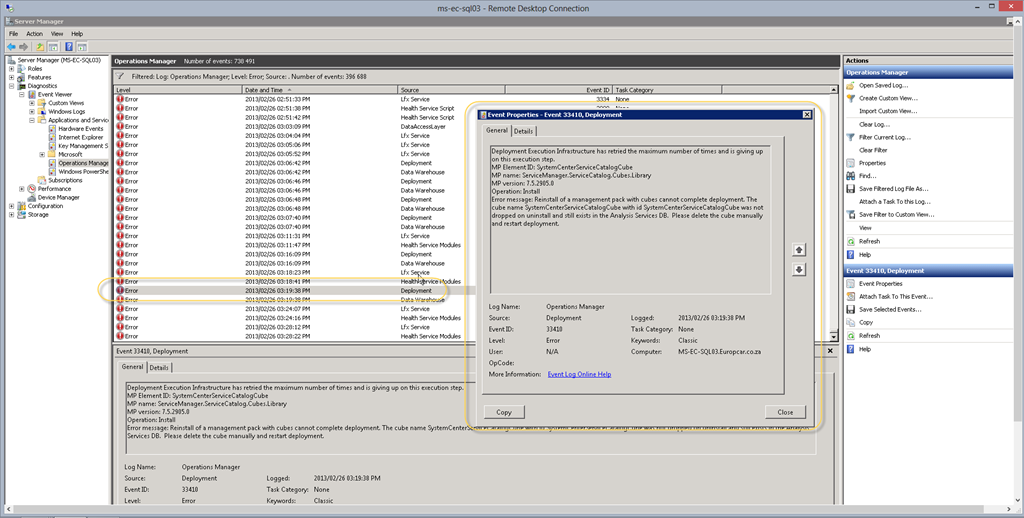
Fortunately enough the solution is listed within the error message.
Simple, delete the cube and then re-deploy the Management Pack.
1. Open SQL Management Studio on server hosting the SQL Analysis Services
2. Connect to the server type : Analysis Services
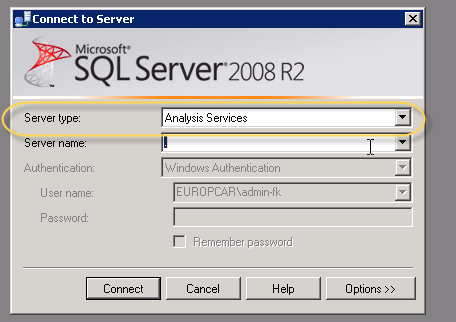
3. Expand Databases, expand DWASDataBase, Expand Cubes
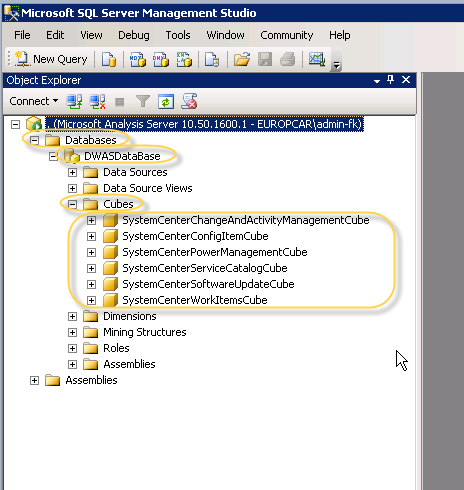
4. Select cube from error and delete the Cube.
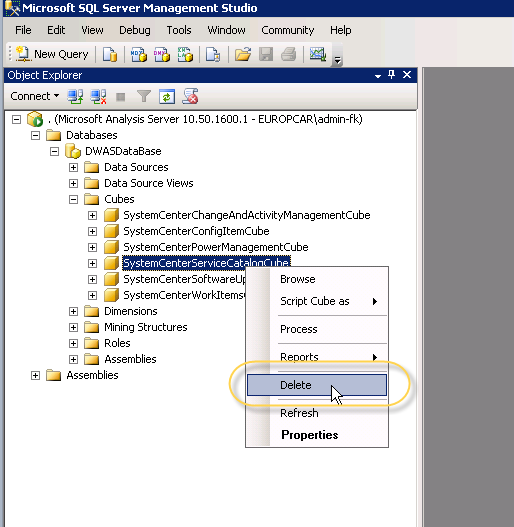
The deletion of the cube can take some time. Once Deleted, go back to the Console and “Restart Deployment”
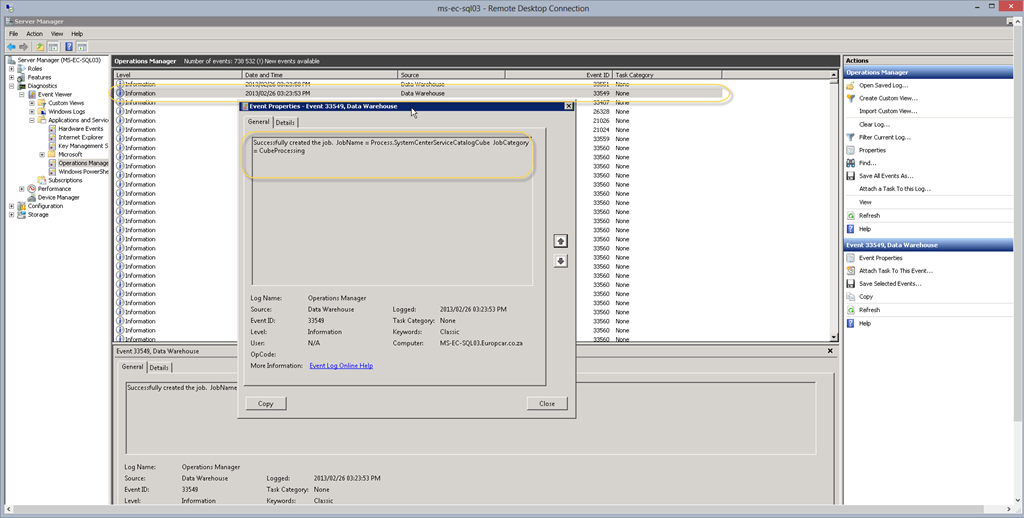
This time you will see an Event log like this.
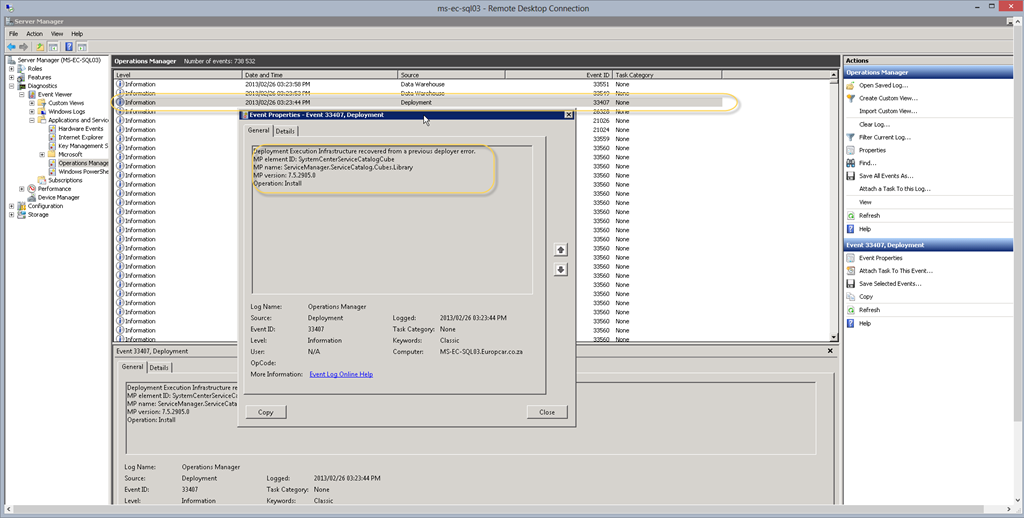
The Cube is now re-deploying.
You can now process your cubes as normal without any errors

Follow me.
 Facebook (Personal)
 Twitter (Personal & System Center)
 Twitter (System Center Focused)


 Fletcher's Cloud Blog
Leave a comment