First off, if there is anyone who I have offended by potential plagiarism, I apologize in advance.
Have you ever been in the position where you have usernames and passwords written down somewhere, usually on a piece of paper on your desk, not exactly the most secure method of storing usernames and passwords. So some of us, take this a step further and type them into a document or a notepad or whatever medium you choose. From here we decide to encrypt the folder (containing all this data) using the Windows Encryption Method.
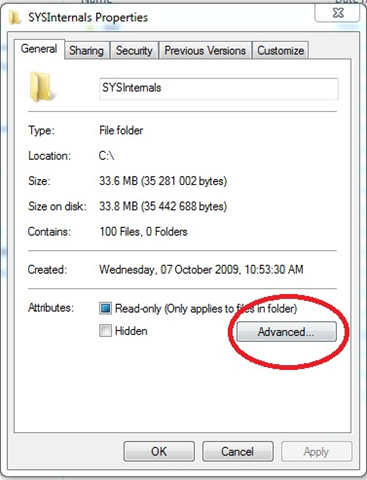
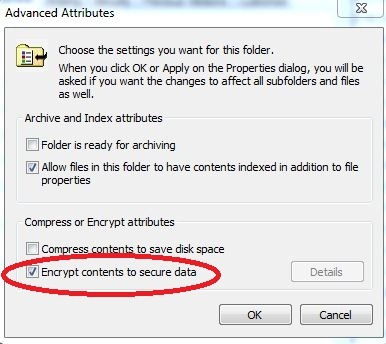
This is a good start and I applaud you for thinking in the correct direction, there is however a slightly more complex but far more secure way of storing this data. Enter TrueCrypt (yes, it does work on Windows 7, you get a warning message saying that “not all features may work”, but for what we are going to use it for, it seems fine thus far)
http://www.truecrypt.org/downloads
You can then create a mountable volume which is disguised as a file on your machine. The encryption and decryption occurs on-the-fly in RAM. Have fun encrypting your data and keeping your data PRIVATE.
“EMBRACE YOUR INNER GEEK AND ROCK ON”

 Fletcher's Cloud Blog
Leave a comment